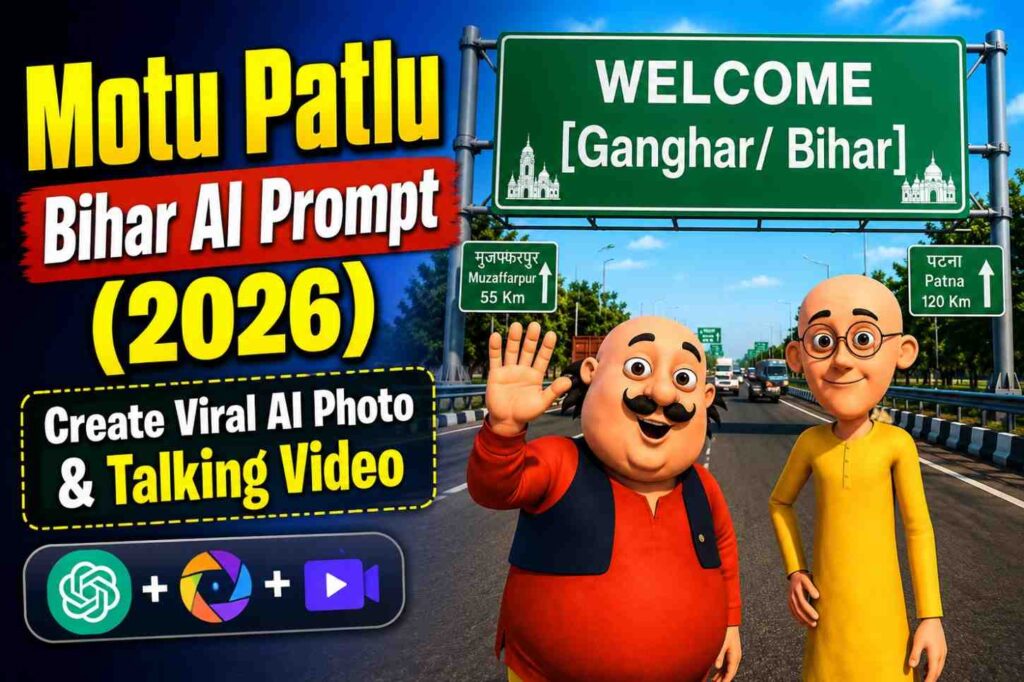



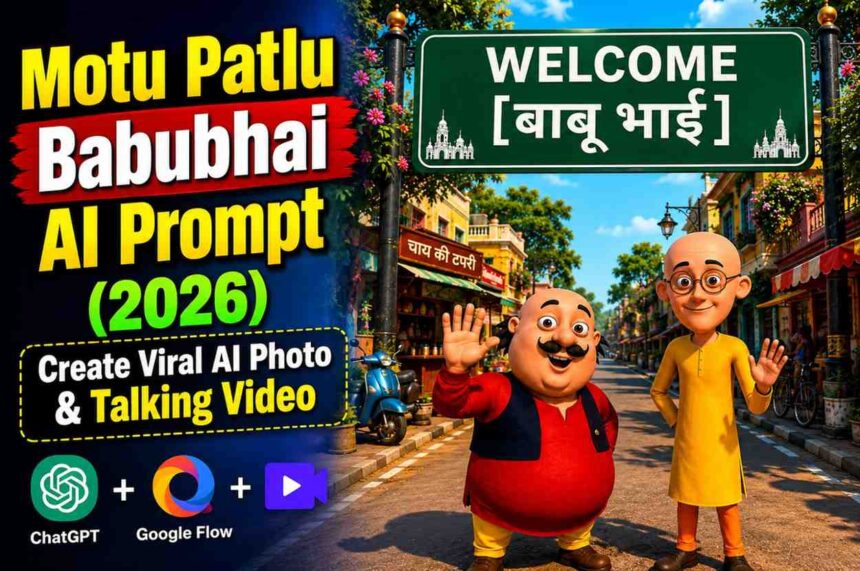
Create a viral Motu Patlu AI photo and talking video where Motu and Patlu visit Babubhai’s place. Generate the image with ChatGPT, animate it with Google Flow, and create a realistic Hindi lip-sync video in just a few steps.
Motu Patlu Babubhai AI Prompt (2026)
Want to create a fun AI image and talking video where Motu and Patlu arrive to meet Babubhai in a beautiful Indian neighborhood?
With this free AI prompt, you can first generate a realistic Pixar-style cartoon image using ChatGPT and then animate it into a smooth Hindi talking video using Google Flow.
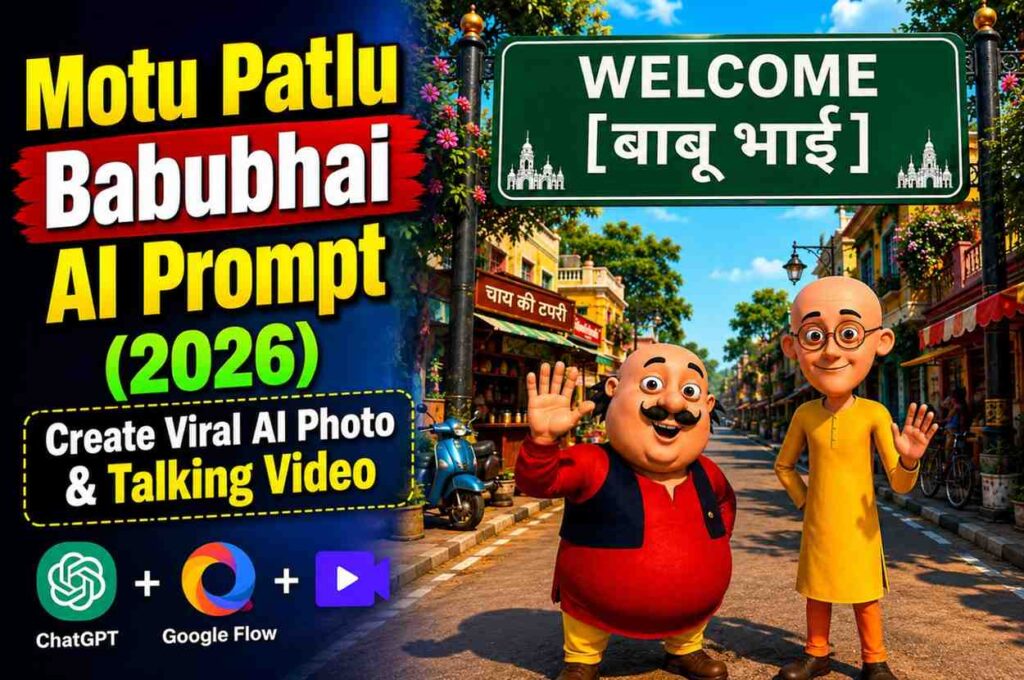
The prompt keeps the original Motu and Patlu cartoon appearance completely consistent while creating a colorful Indian street scene featuring a WELCOME BABUBHAI signboard.
The final result looks perfect for Instagram Reels, YouTube Shorts, Facebook Reels, and WhatsApp Status.
🎨 Step 1 – Create the AI Image
First, upload your Motu Patlu reference image in ChatGPT.
Now copy the Image Prompt given below.
Paste it into ChatGPT.
Click Generate.
After the image is generated, download it before moving to the next step.
📥 Download Button
⬇️ Download AI Image
Copy the complete Image Prompt below and paste it into ChatGPT along with the uploaded reference image.
Prompt
Use the uploaded image as the exact character reference. Keep the same Motu Character 1 and Patlu Character 2 with STRICT character identity lock. Preserve 100% of their original cartoon appearance, facial features, face shape, eyes, nose, mustache, glasses, bald heads, body proportions, skin tone, clothing colors, outfits, and original cartoon art style. Do not redesign, stylize, or modify the characters in any way.
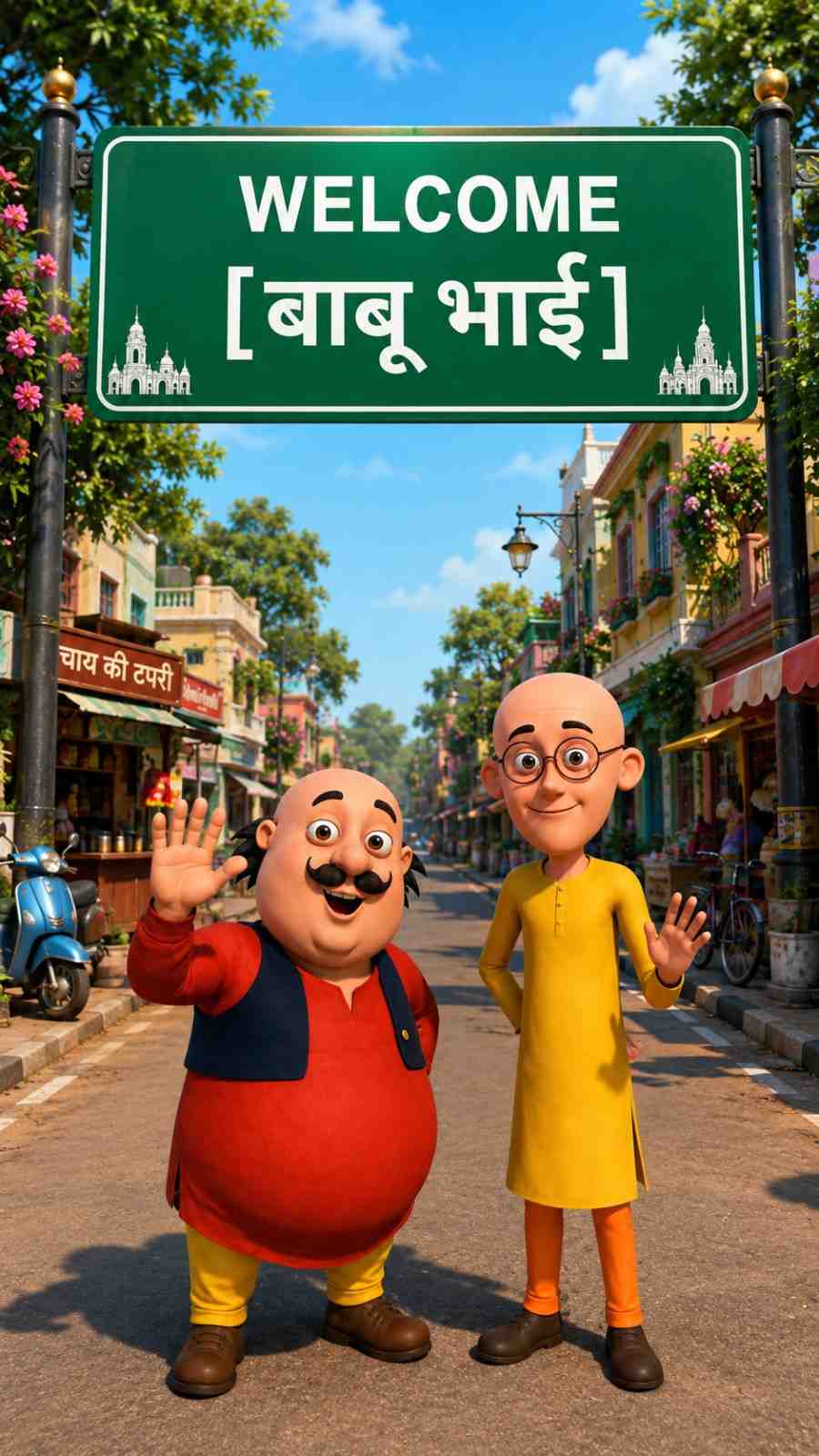
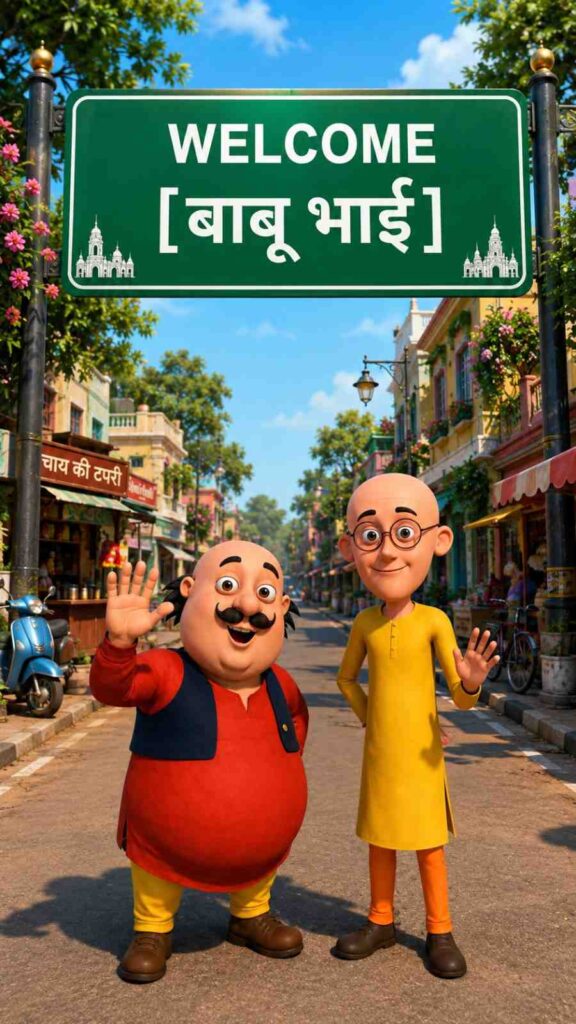
Create a vibrant Indian neighborhood entrance where Motu and Patlu are happily arriving to meet Babubhai. They are standing together on a clean residential road beneath a large green Indian welcome signboard.
The signboard text reads exactly:
WELCOME
[बाबू भाई]
The location should look like a beautiful Indian town entrance with colorful houses, flowering plants, roadside trees, decorative street lamps, small tea stalls, local shops, parked scooters, bicycles, lush greenery, and a warm welcoming atmosphere. Add realistic Indian neighborhood details while keeping the background clean and visually appealing.
Motu is smiling brightly, waving his right hand toward the camera with excitement as if greeting Babubhai.
Patlu is smiling confidently, standing beside Motu with one hand slightly raised, looking toward the camera.
Both characters are centered beneath the welcome board, facing the camera, appearing cheerful and excited as if they have just reached Babubhai’s place.
Bright blue sky with soft white clouds, warm morning sunlight, cinematic lighting, realistic shadows, ultra-detailed environment, vibrant colors, depth of field, family-friendly, Pixar-quality 3D cartoon rendering, premium composition, 8K quality, highly detailed, vertical 9:16.
What This Image Prompt Creates
✅ Original Motu & Patlu Character Identity
✅ Same Face & Cartoon Style
✅ Welcome Babubhai Signboard
✅ Beautiful Indian Neighborhood
✅ Tea Stall & Local Shops
✅ Colorful Houses
✅ Roadside Trees
✅ Decorative Street Lights
✅ Scooters & Bicycles
✅ Warm Morning Lighting
✅ Cinematic Composition
✅ Pixar Quality 3D Cartoon
✅ 8K Ultra HD
✅ Vertical 9:16
🎥 Step 2 – Create the AI Talking Video
Once your image is ready, it’s time to animate it.
Open Google Flow.
Upload the AI image you generated in ChatGPT.
Copy the Video Prompt below.
Paste it into Google Flow.
Click Generate Video.
Within a few moments, Google Flow will create a realistic animated talking video where Motu and Patlu naturally speak in Hindi with perfect lip-sync.
🎬 Video Prompt
Copy the complete Video Prompt below and paste it into Google Flow.
Prompt
Characters: [Motu Character 1], [Patlu Character 2]
Use the uploaded image as the exact character reference. Keep the same characters, appearance, face, clothes, proportions, colors, and original cartoon art style. Animate only the characters with perfect Hindi lip sync, natural facial expressions, realistic eye blinking, smooth head movement, expressive hand gestures, subtle body movement, breathing animation, and synchronized reactions while speaking. Use a colorful Indian outdoor background with smooth cinematic camera movement, vibrant lighting, high-quality animation, 9:16 vertical, 20-second duration. No subtitles, no text overlays, no character changes.
Dialogue:
[Motu Character 1]:
“हेलो दोस्तों, आज हम आ गए बाबू भाई से मिलने।”
[Patlu Character 2]:
“बाबू भाई दिल के बहुत अच्छे हैं।”
[Motu Character 1]:
“और बताओ, कमेंट में किसके-किसके घर आए?”
[Patlu Character 2]:
“चलो बाय-बाय… अपना ख्याल रखना!”
Animation Notes:
Motu speaks energetically with cheerful expressions and lively hand gestures.
Patlu responds naturally with smiling expressions, gentle nodding, and expressive hand movements.
Both characters maintain eye contact with the camera, blink naturally, react to each other’s dialogue, and move smoothly throughout the video.
Seamless conversation without cuts or pauses, cinematic quality, smooth transitions, consistent character identity, ultra-detailed animation, family-friendly, 9:16 vertical.
What This Video Prompt Creates
✔ Perfect Hindi Lip Sync
✔ Natural Eye Blinking
✔ Smooth Head Movement
✔ Expressive Hand Gestures
✔ Body Movement
✔ Breathing Animation
✔ Character Reactions
✔ Smooth Camera Motion
✔ Cinematic Lighting
✔ Family-Friendly Animation
✔ Ultra Detailed Cartoon Quality
✔ 20 Second Vertical Video
✔ 9:16 Instagram Reel Ready
🛠 How to Create the AI Image
Step 1
Open ChatGPT.
Step 2
Upload the Motu Patlu reference image.
Step 3
Copy the Image Prompt.
Step 4
Paste the prompt into ChatGPT.
Step 5
Click Generate.
Step 6
Download the generated image.
🎞 How to Create the AI Video
Step 1
Open Google Flow.
Step 2
Upload the AI image created in ChatGPT.
Step 3
Copy the Video Prompt.
Step 4
Paste it into Google Flow.
Step 5
Click Generate Video.
Step 6
Wait for the AI to finish rendering.
Step 7
Download your final talking video.
⭐ Features
- 100% Original Motu & Patlu Identity
- Strict Character Lock
- Babubhai Welcome Board
- Beautiful Indian Locality
- Pixar Style Cartoon
- Smooth Character Animation
- Hindi Talking Video
- Perfect Lip Sync
- Realistic Expressions
- Eye Blinking
- Head Movement
- Hand Gestures
- Body Animation
- Cinematic Camera Motion
- Vibrant Indian Background
- 8K Quality
- Vertical 9:16
- Instagram Ready
- YouTube Shorts Ready
- Facebook Reels Ready
💡 Pro Tips
- Always upload a high-quality reference image.
- Do not crop the characters before uploading.
- Use the same image generated in ChatGPT for the video to maintain character consistency.
- Keep the video in 9:16 format for better engagement on social media.
- Export the final video in Full HD or 4K for the best quality.
Frequently Asked Questions (FAQs)
Can I replace “बाबू भाई” with another name?
Yes. Simply edit the welcome board text before generating the image.
Which AI tool is used for the image?
Use ChatGPT’s image generation feature with the uploaded reference image.
Which AI tool is used for the talking video?
Google Flow is recommended for realistic lip-sync and cinematic character animation.
Can I change the dialogue?
Yes. You can replace the Hindi dialogue with your own script while keeping the same characters.
Is this prompt suitable for YouTube Shorts and Instagram Reels?
Yes. The prompts are optimized for a 9:16 vertical format, making them perfect for Reels, Shorts, and other short-video platforms.
Final Words
This Motu Patlu Babubhai AI Prompt (2026) makes it easy to create engaging cartoon-style AI content with consistent character identity and smooth Hindi lip-sync animation. Start by generating the image in ChatGPT, then animate it in Google Flow using the provided video prompt. With just a few steps, you’ll have a high-quality, social-media-ready AI video that’s perfect for entertaining your audience.