




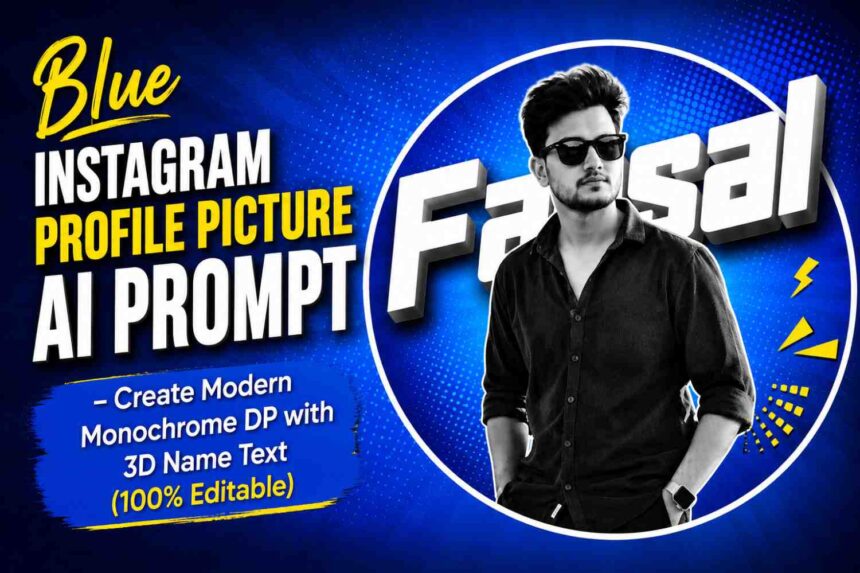
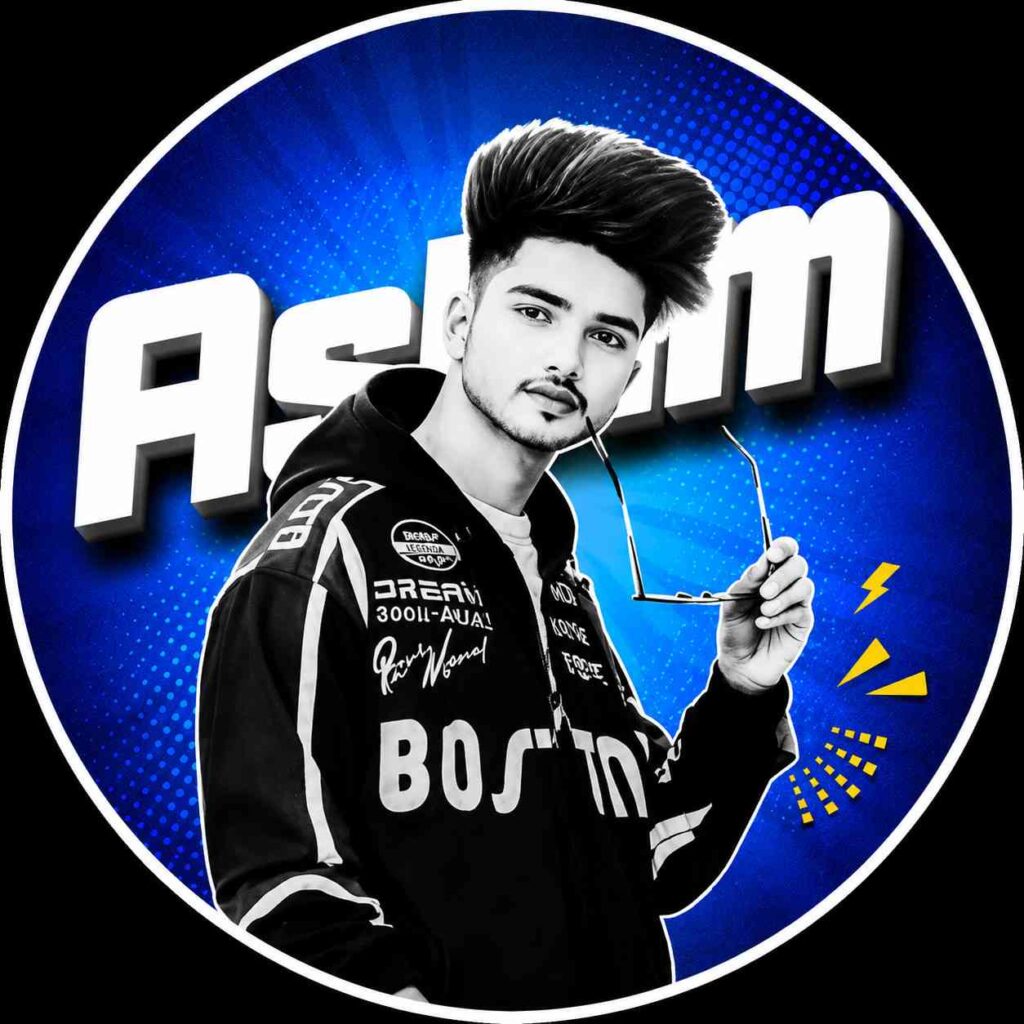
Create a premium black-and-white Instagram profile picture with a vibrant blue background, circular frame, and bold 3D name text using this free AI prompt. Copy the prompt, replace your name, upload your photo, and generate a professional DP in seconds.
Blue Instagram Profile Picture AI Prompt – Create a Premium Modern DP with 3D Name Text
A stylish profile picture instantly makes your Instagram account look more professional and attractive. If you want a clean black-and-white portrait, a vibrant blue background, a perfect circular frame, and your name displayed in large 3D text, this AI prompt is exactly what you need.
This prompt creates a modern Instagram DP that looks like it was designed by a professional graphic designer. It preserves your facial identity while giving your profile a premium social media look.
Whether you’re an Instagram creator, gamer, student, influencer, photographer, or content creator, this prompt can help you create an eye-catching profile picture in just a few clicks.
What You’ll Get
✔ Premium Black & White Portrait
✔ Perfect Circular Frame
✔ Vibrant Blue Gradient Background
✔ Comic Halftone Dot Pattern
✔ Large 3D Name Behind Your Head
✔ Modern Social Media Graphics
✔ Professional Studio Lighting
✔ Ultra HD Quality
✔ Instagram Ready Profile Picture
✔ Sharp & Clean Design
Copy & Paste AI Prompt

Prompt
Use the uploaded photo as the main identity reference. Create a modern Instagram profile picture design.
Subject in black and white monochrome, high contrast portrait, clean cutout. Place the subject inside a perfectly centered circular frame.
Background: vibrant blue gradient with halftone comic-style dot pattern, smooth radial lighting.
Add large bold 3D white text behind the head with the name “Shubham”, slightly tilted, with soft shadow and depth effect.
Include small yellow graphic elements near the phone for a modern social media aesthetic.
Professional graphic design style, sharp edges, ultra clean composition, high resolution, modern DP template style, studio lighting, centered layout, Instagram profile picture format.
✍️ Replace Your Name Here
Before generating the image, change this line:
Add large bold 3D white text behind the head with the name "YOUR NAME"Example
If your name is Shubham, write:
Add large bold 3D white text behind the head with the name "Shubham"If your name is Rahul, write:
Add large bold 3D white text behind the head with the name "Rahul"Simply replace YOUR NAME with your own name before generating the image.
How to Create This AI Profile Picture
Creating this premium DP is very simple.
Step 1
Open your favorite AI image generator like ChatGPT Image, Google Gemini, or another AI image tool that supports image prompts.
Step 2
Upload your original photo.
Use a high-quality, front-facing image with a clear face for the best results.
Step 3
Copy the complete prompt provided above.
Step 4
Replace YOUR NAME with your own name.
Step 5
Paste the prompt into the AI tool.
Step 6
Click Generate.
Within a few moments, the AI will create a professional-looking Instagram profile picture with your photo and customized 3D name.
Best Photo Tips
For the highest-quality result, use a photo that meets these conditions:
- Front-facing portrait
- High-resolution image
- Natural lighting
- Face clearly visible
- Minimal background distractions
- No heavy filters
- Sharp facial details
Why This Prompt Looks Professional
This prompt combines several premium graphic design elements that are commonly used in modern social media branding:
- Black & White Monochrome Portrait
- Blue Gradient Background
- Circular DP Frame
- Halftone Comic Pattern
- Large 3D Name Typography
- Modern Graphic Elements
- Studio Lighting
- High Contrast Editing
- Professional Composition
- Instagram-Optimized Layout
These elements work together to create a clean, eye-catching, and premium profile picture.
Perfect For
- Instagram DP
- Facebook Profile Picture
- WhatsApp DP
- X (Twitter) Profile
- Threads Profile
- YouTube Channel
- Gaming Profile
- Personal Branding
- Content Creators
- Students
- Influencers
Pro Tips
- Use your real name for a personal branding look.
- Keep the uploaded image high quality.
- Avoid blurry or low-resolution photos.
- Use a front-facing portrait for the best face alignment.
- Generate in high resolution for maximum clarity.
Frequently Asked Questions
Is this prompt free?
Yes. You can copy, edit, and use this prompt for free.
Can I change the background color?
Yes. Replace blue gradient with any color such as red, purple, green, orange, or black.
Can I change the name?
Absolutely. Simply replace YOUR NAME with your own name before generating the image.
Which AI tools support this prompt?
Any AI image generator that accepts image uploads and text prompts, including ChatGPT Images and Google Gemini, should work well.
Final Thoughts
If you’re looking for a modern, clean, and professional Instagram profile picture, this AI prompt offers an excellent starting point. Just upload your photo, replace the placeholder with your own name, and generate a stylish monochrome portrait featuring a vibrant blue background, circular framing, and bold 3D typography. The result is a high-quality DP that stands out across social media platforms.