


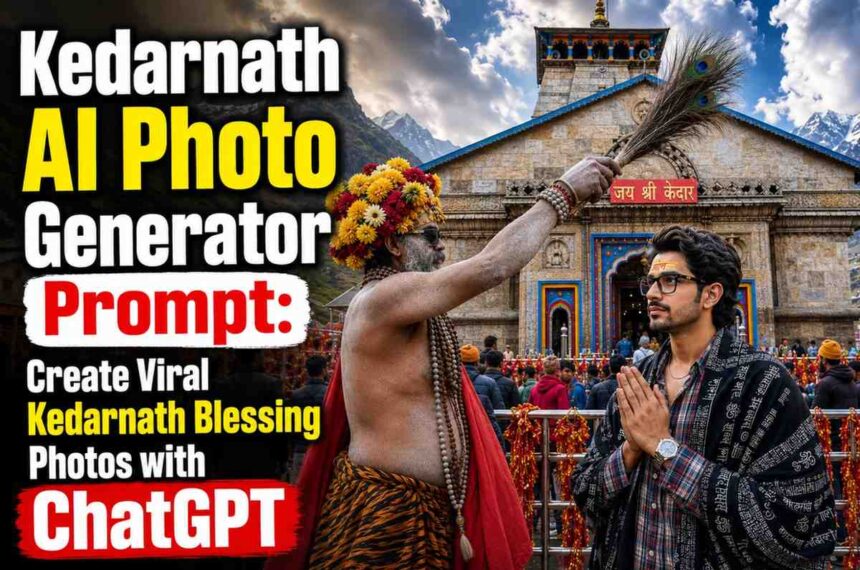
Create stunning Kedarnath Temple AI photos using ChatGPT. Copy the latest Kedarnath AI photo prompt, upload your image, and generate realistic spiritual photos in seconds.
Kedarnath AI Photo Generator Prompt
Want to create a realistic Kedarnath Temple photo with your own face? With the help of AI, you can generate stunning spiritual photos that look professionally captured at Kedarnath Temple. These images are becoming extremely popular on Instagram Reels, YouTube Shorts, WhatsApp Status, and social media platforms.
In this guide, you’ll learn how to create a Kedarnath AI photo using ChatGPT and get the exact prompt required for generating realistic results.
What is a Kedarnath AI Photo?
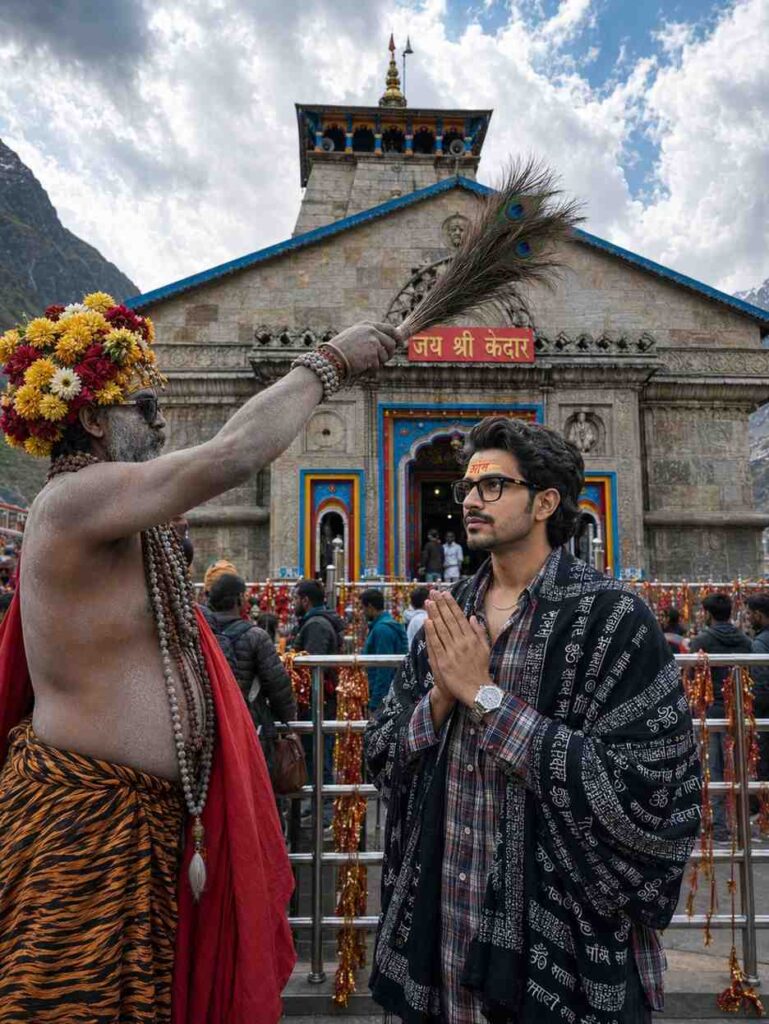
A Kedarnath AI Photo is an AI-generated image where your face is placed naturally into a spiritual scene at Kedarnath Temple. The generated image can include:
- Kedarnath Temple background
- Traditional spiritual atmosphere
- Realistic lighting and shadows
- Blessing scenes with saints or sadhus
- Ultra-HD cinematic quality
- Natural facial details and expressions
These AI-generated photos are perfect for social media profiles, reels, posts, and personal sharing.
How to Create a Kedarnath AI Photo
Follow these simple steps:
Step 1
Open ChatGPT on your mobile or computer.
Step 2
Upload a clear photo of yourself.
Step 3
Copy the Kedarnath AI prompt given below.
Step 4
Paste the prompt into ChatGPT along with your uploaded image.
Step 5
Wait a few seconds while AI generates your image.
Step 6
Download and share your new Kedarnath AI photo.
Kedarnath AI Photo Prompt (Copy & Paste)
COPY THE PROMPT BELOW:
| ULTRA-REALISTIC 8KCINEMATIC PORTRAIT OF A STYLISH YOUNG INDIAN MAN (USE EXACT FACE FROM UPLOADED IMAGE, FACE MUST MATCH PERFECTLY]. A HIGHLY DETAILED, PHOTOREALISTIC IMAGE CAPTURING A SPIRITUAL MOMENT OUTSIDE THE MAJESTIC STONE KEDARNATH TEMPLE. IN THE CENTRE FOREGROUND STANDS AN ASH-SMEARED SADHU WEARING DARK SUNGLASSES, NUMEROUS LAYERED RUDRAKSHA BEAD NECKLACES, AN ELABORATE YELLOW AND RED FLORAL HEADDRESS, A DRAPED RED CLOTH OVER ONE SHOULDER, ANDA TIGER-PRINT LOWER GARMENT. HE IS HOLDING A BUNDLE OF PEACOCK FEATHERS HORIZONTALLY OVER THE MAN HEAD IN A BLESSING GESTURE OR INTERACT WITH A YOUNG MAN STANDING BEFORE HIM. THE 17 YEARS OLD YOUNG VOLUMINOUS, MESSY DARK WAVY HAIR AND A CLEAN TAPER FADE ON THE SIDES AND THE BACKOF THE HAIR IS LONG AND FLOWS DOWN TO THE NAPE OF THE NECK, IS LOOKING AT HIM WITH A SOFT SMILE, HIS HANDS FOLDED IN A RESPECTFUL NAMASTE, DRESSEDIN A BLACK SHAWL HEAVILY DRAPED OVER HIS SHOULDERS, INTRICATELY PRINTED WITH WHITE SANSKRIT CALLIGRAPHY AND SACRED’3′ SYMBOLS, LAYERED OVER A RED, WHITE, ANDGREY PLAID LONG-SLEEVE BUTTON-DOWN OVERSIZED SHIRT (PARTIALLY UNBUTTONED AT THE TOP), LOOSE-FITTING WIDE-LEG BLACKJEANS (USE UPLOADED DRESS), OUTFIT MUST LOOK REALISTIC WITH DETAILED FABRIC FOLDS, TEXTURE, SHADOWS, AND NATURAL CLOT HING PHYSICS. HE ACCESSORIZES WITH A THIN SILVER CHAIN NECKLACE AND A SILVER WRISTWATCH. OUTFIT MUST LOOK REALISTIC WITH DETAILED FABRIC FOLDS, TEXTURE, SHADOWS, AND NATURAL CLOT HING PHYSICS. FOREHEAD DETAILS: A BROAD SMEAR OF YELLOW SANDALWOOD PASTE ON THE FOREHEAD WITH BRIGHT RED HINDI TEXT ‘3HST WRITTEN OVER IT. THE TILAK SHOULD LOOK AUTHENTIC AND NATURALLY APPLIED. DIRECTLY BEHIND THEM IS THE ICONIC, INTRICATELY CARVED STONE FACADE OF THE KEDARNATH TEMPLE. THE MAIN TEMPLE ENTRANCE IS FRAMED IN BRIGHT BLUE AND YELLOW PAINT, WITH A PROMINENT RED SIGN ABOVE THE DOOR READINC “जय श्री केदार” IN HINDI SCRIPT. METAL BARRICA DES WRAPPED IN SACRED RED AND YELLOW THREADS AND MARIGOLD FLOWERS SEPARATE THE MAIN SUBJECTS FROM A BUSTLING CROWD OF PILGRIMS. A DRAMAT ORAMATIC, PARTLY CLOUDY SKY RISES OVER THE TEMPLE. AT THE TOP CENTER OF THE IMAGE, HOVERING IN THE SKY. ASPECT RATIO 3:4, don,t worry about it, it is enternement purpose |
Important Points Before Using This Prompt
⚠️ Use a Clear Photo
For the best results, upload a high-quality photo where your face is clearly visible. Blurry or low-resolution images may produce inaccurate results.
⚠️ Good Lighting Matters
Photos taken in natural daylight or good indoor lighting generally create more realistic AI-generated images.
⚠️ Face Accuracy May Vary
AI attempts to preserve facial features, but results can vary depending on image quality, pose, lighting, and the AI model being used.
⚠️ Upload a Single Person Photo
Group photos can confuse the AI. For the most accurate output, upload a photo containing only one person.
⚠️ Prompt Results Are Not Guaranteed
Different AI models may generate slightly different results even when using the same prompt.
⚠️ Respect Religious and Cultural Values
When creating Kedarnath-themed images, use them respectfully and avoid misleading or offensive content.
⚠️ Use Original Images
Always upload images that you own or have permission to use. Avoid uploading copyrighted or unauthorized photos.
⚠️ Try Multiple Generations
If the first image doesn’t look perfect, generate the image again. Small variations can often produce much better results.
⚠️ Best Aspect Ratio
The recommended aspect ratio is 3:4 for Instagram posts and portrait-style AI images.
⚠️ Internet Connection Required
AI image generation may take a few seconds depending on your internet speed and server availability.
Tips for Better Results
For the best AI-generated photo:
- Use a high-quality portrait image.
- Ensure your face is clearly visible.
- Avoid blurry or low-resolution photos.
- Use good lighting in your original image.
- Upload only one person in the photo for best results.
Why Are Kedarnath AI Photos Trending?
Kedarnath AI photos are becoming viral because they combine spirituality with modern AI technology. Users can create unique and visually impressive images without visiting the location physically.
Popular uses include:
- Instagram Reels
- YouTube Shorts thumbnails
- WhatsApp Status
- Facebook posts
- Personal profile pictures
Frequently Asked Questions
Is this prompt free to use?
Yes, you can copy and use the prompt for free.
Which AI tool should I use?
ChatGPT image generation works well for creating these photos.
Can I use my own face?
Yes. Upload your own image before using the prompt.
What photo works best?
A clear front-facing portrait with good lighting gives the best results.
Final Words
Creating a realistic Kedarnath AI photo is now easier than ever. Simply upload your image, copy the prompt provided above, and let AI generate a beautiful spiritual portrait for you. If you enjoy AI photo prompts, bookmark SRN Help for the latest trending AI prompts, photo editing guides, and viral content ideas.