


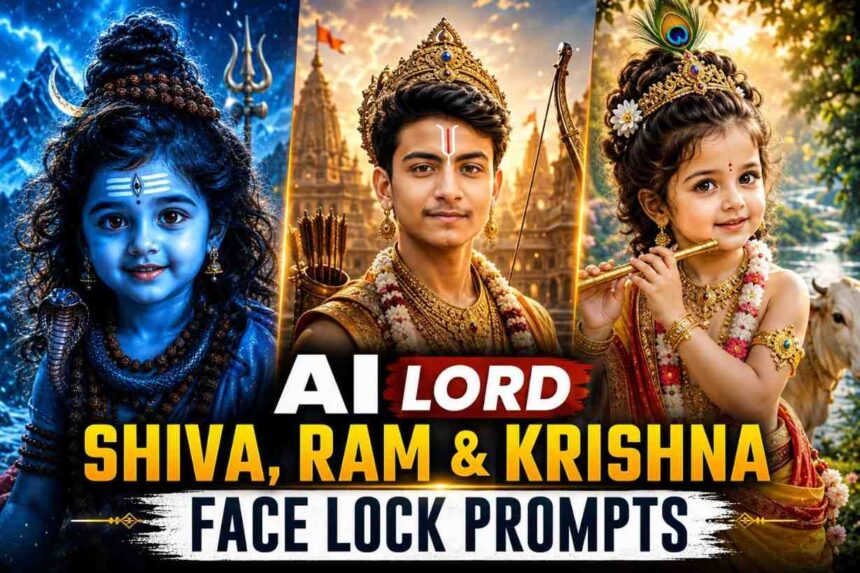
Learn how to create realistic AI Lord Shiva, Lord Ram, and Lord Krishna images using advanced Face Lock prompts. Includes tutorials, prompt templates, image settings, FAQs, and best practices for devotional AI artwork
Introduction
Artificial Intelligence has made it possible to create breathtaking devotional artwork with remarkable realism. Modern AI image generators can transform ordinary portraits into stunning representations inspired by Lord Shiva, Lord Ram, and Lord Krishna while preserving the original facial identity of the person in the photograph.
This guide explains how Face Lock prompts work, how to improve image quality, how to avoid common mistakes, and provides professionally crafted prompts for creating realistic devotional AI images.
What Is a Face Lock Prompt?
A Face Lock Prompt is a specialized instruction designed to help AI image generators preserve a person’s identity while applying creative visual transformations.
A good Face Lock prompt helps maintain:
- Facial structure
- Eye shape
- Nose shape
- Jawline
- Skin tone
- Hairstyle
- Age appearance
- Natural expression
This is especially important when creating devotional portraits where the goal is to transform clothing, environment, and spiritual elements while keeping the individual recognizable.
Essential Elements of High-Quality Devotional AI Images
Before using any prompt, understand the factors that influence image quality:
1. Identity Preservation
The face should remain consistent with the original photograph.
2. Authentic Symbolism
Each deity has unique visual elements:
Lord Shiva
- Rudraksha beads
- Tripundra tilak
- Third eye symbolism
- Himalayan atmosphere
Lord Ram
- Bow and arrows
- Royal Ayodhya appearance
- Golden divine aura
- Traditional royal attire
Lord Krishna
- Peacock feather crown
- Flute
- Vrindavan environment
- Sacred cows
3. Lighting
Professional lighting improves realism significantly.
Recommended:
- Golden hour lighting
- Volumetric light rays
- Soft rim lighting
- HDR rendering
4. Background Design
Avoid plain backgrounds.
Instead use:
- Vrindavan landscapes
- Ayodhya architecture
- Himalayan environments
- Natural rivers and forests
AI Lord Shiva Face Lock Prompt
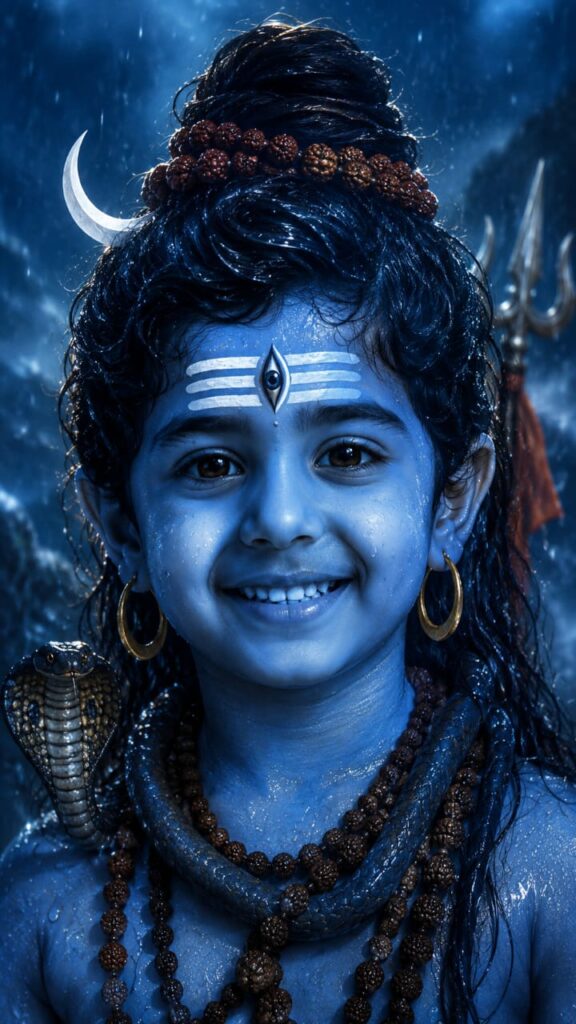
| FACE LOCK (Highest Priority): Use the uploaded person’s face with absolute identity preservation. Keep the exact facial structure, skin tone, eyes, nose, lips, jawline, hairstyle, age, beard pattern, expression, and all unique facial details unchanged. No face alteration, no beautification, no face swap, no identity drift. Transform the person into a divine Lord Shiva-inspired avatar. Ultra-realistic cinematic portrait, blue-toned sacred skin, glowing golden eyes, detailed Tripundra Tilak on forehead with a mystical third-eye symbol, wet long hair, Rudraksha crown and necklaces, sacred earrings, subtle snake around neck, divine aura, rain droplets covering face and skin, hyper-detailed pores and texture, spiritual energy particles, dramatic volumetric lighting, blue mist atmosphere, heavenly glow, powerful calm expression. Background: dark mystical Himalayan ambience, cinematic blue lighting, fog, rain, spiritual energy, depth of field, ultra-detailed environment, epic devotional fantasy mood. Photography style: extreme close-up portrait, centered composition, sharp focus on eyes, HDR, 8K resolution, masterpiece quality, ultra realistic skin texture, photorealistic, professional color grading, high contrast, studio-level lighting, award-winning photography. –ar 9:16 –stylize 1000 –quality 2 face distortion, identity change, extra eyes, extra ears, blurry face, cartoon, anime, low quality, low resolution, oversaturated skin, bad anatomy, deformed features, duplicate face, unrealistic eyes, text, watermark, logo, cropped head, ugly details, fake skin, plastic skin |
Recommended Style
For Lord Shiva portraits:
- Use cool blue color grading.
- Add mist and rain effects.
- Include Rudraksha ornaments.
- Focus heavily on eye details.
- Use dramatic cinematic lighting.
Best Use Cases
- Wallpapers
- Social media posts
- Devotional artwork
- Festival graphics
AI Lord Ram Face Lock Prompt
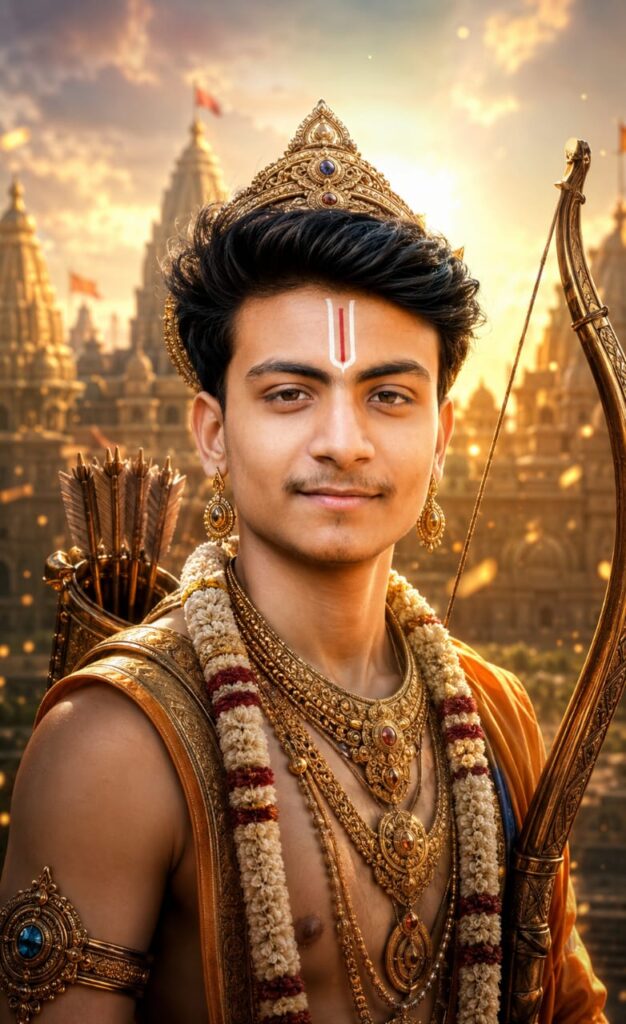
| FACE LOCK (Highest Priority): Use the uploaded person’s face with absolute identity preservation. Keep the exact facial structure, skin tone, eyes, nose, lips, jawline, hairstyle, age, expression, and all unique facial details unchanged. No face swap, no beautification, no identity drift. Transform the person into a divine Lord Rama-inspired avatar. Ultra-realistic cinematic portrait, royal Ayodhya prince appearance, radiant golden aura, sacred Tilak on forehead, majestic crown with intricate gold details, traditional royal dhoti and ornaments, elegant bow (Kodanda) held beside the body, quiver of arrows on the back, calm compassionate eyes filled with wisdom and courage, divine glow around the face, subtle floating golden particles, heavenly atmosphere. Background: grand Ayodhya kingdom, ancient temple architecture, sunrise golden light, spiritual ambience, soft clouds, epic devotional fantasy environment, cinematic depth of field. Photography Style: ultra-realistic portrait photography, sharp focus on eyes, HDR, 8K resolution, masterpiece quality, cinematic lighting, hyper-detailed skin texture, professional color grading, award-winning photography, volumetric light rays, majestic composition. Negative Prompt: face distortion, identity change, extra eyes, blurry face, cartoon, anime, low quality, low resolution, bad anatomy, duplicate face, unrealistic skin, text, watermark, logo, cropped head, oversaturated colors |
Recommended Style
For Lord Ram portraits:
- Use warm golden lighting.
- Create a royal appearance.
- Include traditional Ayodhya-inspired architecture.
- Add subtle divine glow.
Best Use Cases
- Ram Navami artwork
- Social media content
- Posters
- Personal devotional projects
AI Lord Krishna Face Lock Prompt
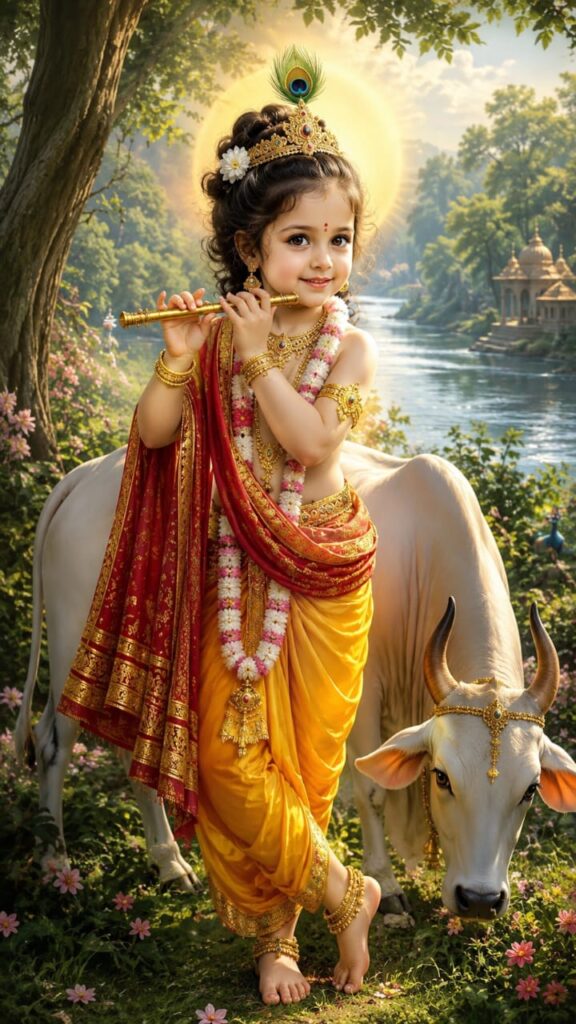
| FACE LOCK (MAXIMUM PRIORITY): Use the uploaded person’s face with absolute identity preservation. Keep the exact facial structure, skin tone, eyes, nose, lips, hairstyle, age, facial expression, jawline, and all unique facial details unchanged. 100% face matching. No face swap, no beautification, no identity drift. Transform the person into divine Lord Krishna standing in a classic full-body Vrindavan pose. Keep the face exactly the same as the uploaded photo. Pose: graceful standing pose, one leg crossed naturally, holding a traditional golden flute near the lips, calm divine smile, elegant body posture. Appearance: authentic Lord Krishna avatar, luxurious golden crown with large peacock feather, sacred tilak, flower garlands, premium gold jewelry, armlets, bracelets, anklets, royal yellow pitambara dhoti, flowing red silk shawl, divine halo behind head. Background: beautiful Vrindavan forest, lush green trees, Yamuna river flowing in the distance, blooming flowers, soft morning sunlight, natural landscape, sacred atmosphere, detailed white holy cow standing beside Krishna, realistic grass, cinematic depth of field. Lighting: heavenly golden sunlight, divine glow, volumetric light rays, soft rim light, magical atmosphere. Style: ultra realistic, photorealistic, full body portrait, centered composition, devotional masterpiece, HDR, 8K, hyper detailed skin texture, professional color grading, cinematic photography, award-winning artwork, spiritual realism, premium Indian devotional poster quality. Aspect Ratio: 9:16 vertical. Negative Prompt: face change, identity drift, face distortion, extra fingers, extra hands, extra legs, blurry face, low quality, cartoon, anime, watermark, logo, text, cropped body, duplicate person, bad anatomy, unrealistic skin, deformed eyes, ugly face, oversaturated colors |
Recommended Style
For Lord Krishna portraits:
- Use Vrindavan scenery.
- Add peacock feathers.
- Include flute details.
- Use soft divine blue and gold lighting.
- Add cows and flowers naturally.
Best Use Cases
- Janmashtami artwork
- Mobile wallpapers
- Social media creatives
- Devotional posters
Best AI Image Generators for Face Lock Prompts
ChatGPT Images
Excellent prompt understanding and strong visual quality.
Flux
Strong realism and facial consistency.
Midjourney
Excellent artistic rendering and cinematic aesthetics.
Ideogram
Good prompt adherence and typography support.
Leonardo AI
Flexible for creative devotional concepts.
Recommended Image Sizes
Featured Image
1200 × 630 px
Ideal for:
- Blog posts
- Social sharing
- Open Graph previews
1000 × 1500 px
Instagram Portrait
1080 × 1350 px
Shorts/Reels
1080 × 1920 px
Wallpaper
1440 × 2560 px
Common Mistakes to Avoid
Overloading the Prompt
Too many instructions can confuse the AI.
Poor Source Images
Blurry photos often produce poor results.
Ignoring Negative Prompts
Negative prompts help reduce unwanted distortions.
Unrealistic Expectations
Face matching improves consistency but may not always be perfect.
Frequently Asked Questions
Can AI preserve my face exactly?
AI can significantly improve facial consistency, but results vary depending on the image generator and source image quality.
Which AI model gives the best face matching?
Models with strong image understanding and identity consistency generally produce better results.
Why does the face sometimes change?
Low-quality source images, unclear prompts, or aggressive artistic styling can reduce identity preservation.
Can I use these images commercially?
Usage rights depend on the image generation platform. Always review the platform’s licensing terms before commercial use.
Final Thoughts
Face Lock prompting is one of the most effective techniques for creating realistic devotional AI artwork while maintaining personal identity. By combining strong facial preservation, accurate symbolism, professional lighting, and carefully designed environments, it is possible to generate visually impressive portraits inspired by Lord Shiva, Lord Ram, and Lord Krishna.
The prompts and best practices outlined in this guide provide a solid foundation for creating high-quality devotional AI images suitable for social media, personal projects, wallpapers, and creative artwork